
Isleta
LiveThe Dynamic Island for macOS — the notch, finally doing something.
About Isleta
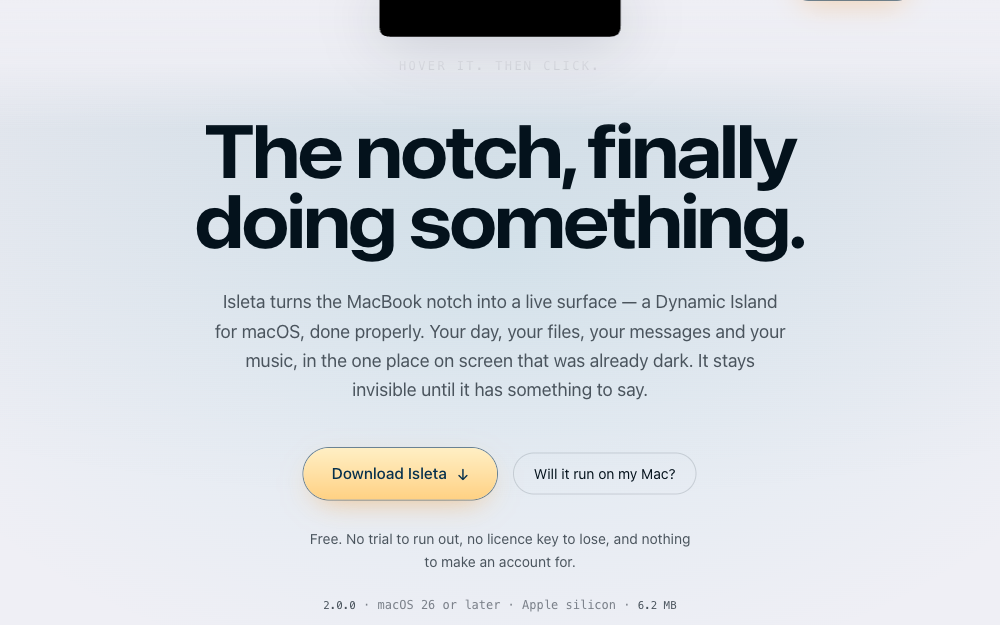
tryisleta.com
The product site for Isleta, the Dynamic Island for macOS, and an argument made by being the thing it describes. The Dynamic Island in the hero is not a picture of the app — it is a port of the app's own geometry, drawn from the same constants, animated on the same springs, painted from the same palette. When the app rains inside its island, so does the one on the page: the same seeded field of drops, landing on the same floor. Six pages, no database, no login. The Sparkle changelog, the download size and the version in the hero all come from one committed config file, so the page can never say something the shipped build disagrees with.
View Live Site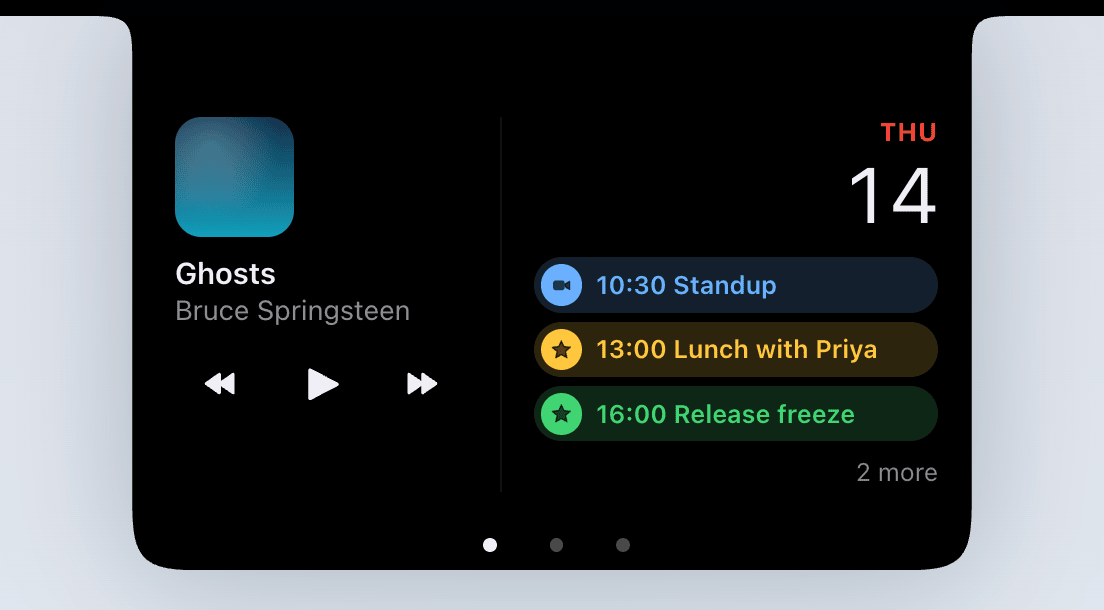

Isleta
New 2.1Dynamic Island for macOS · Menu Bar Utility
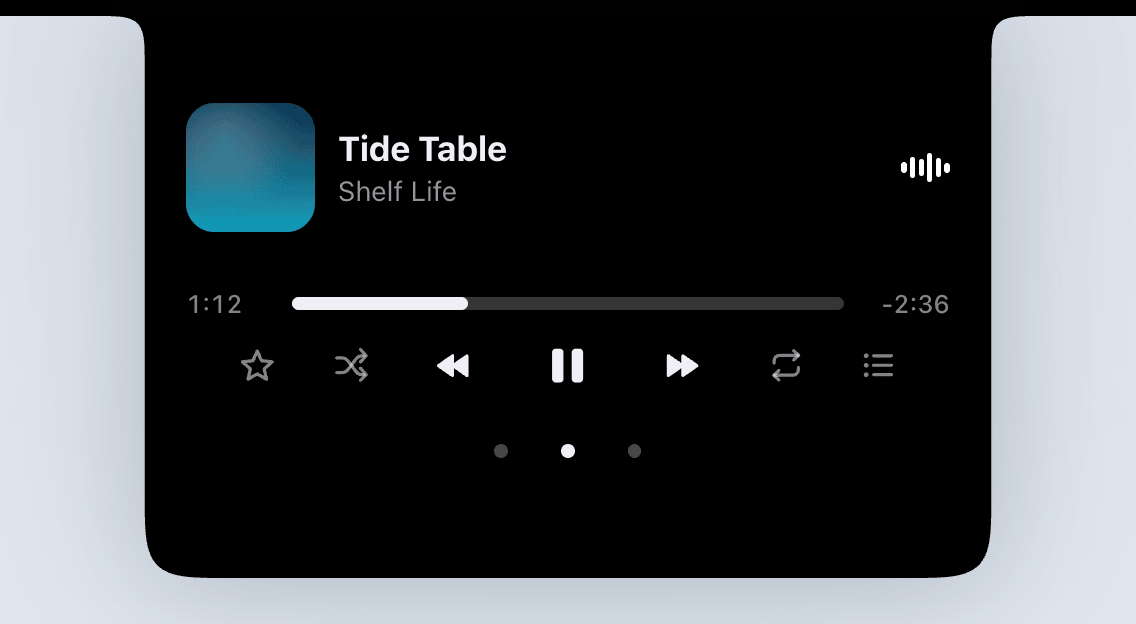
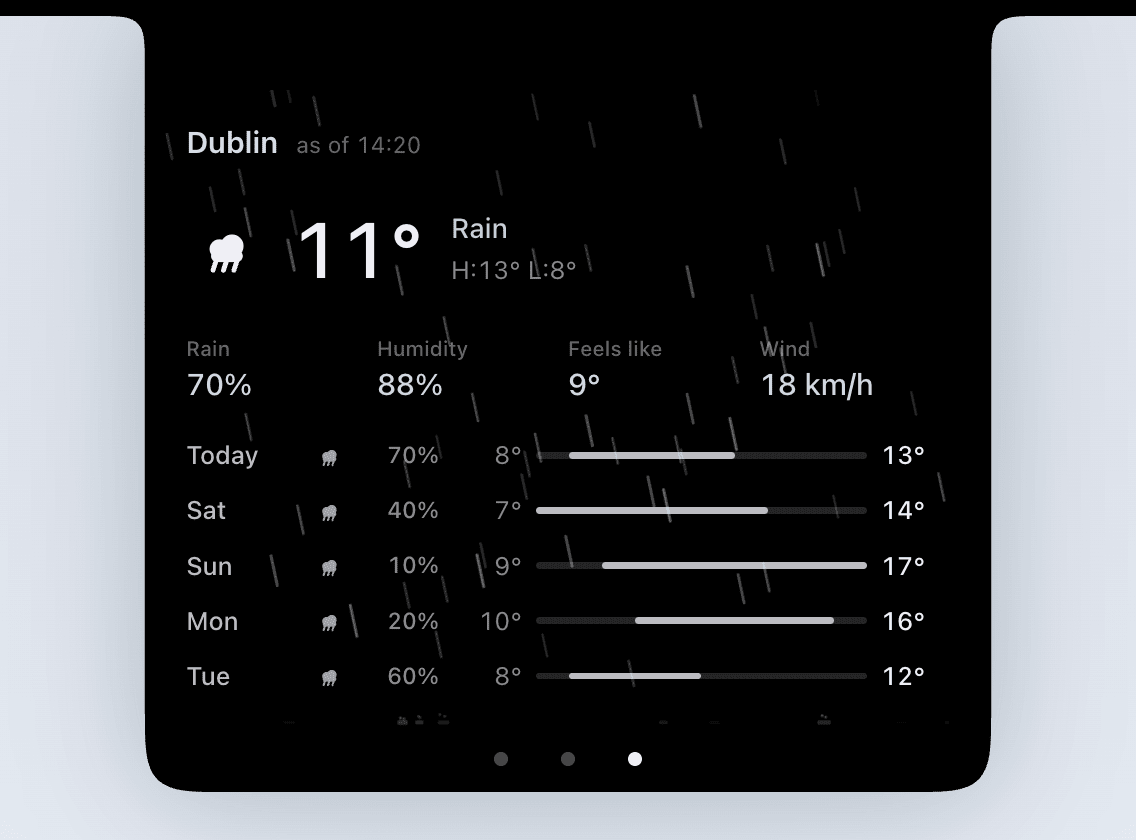
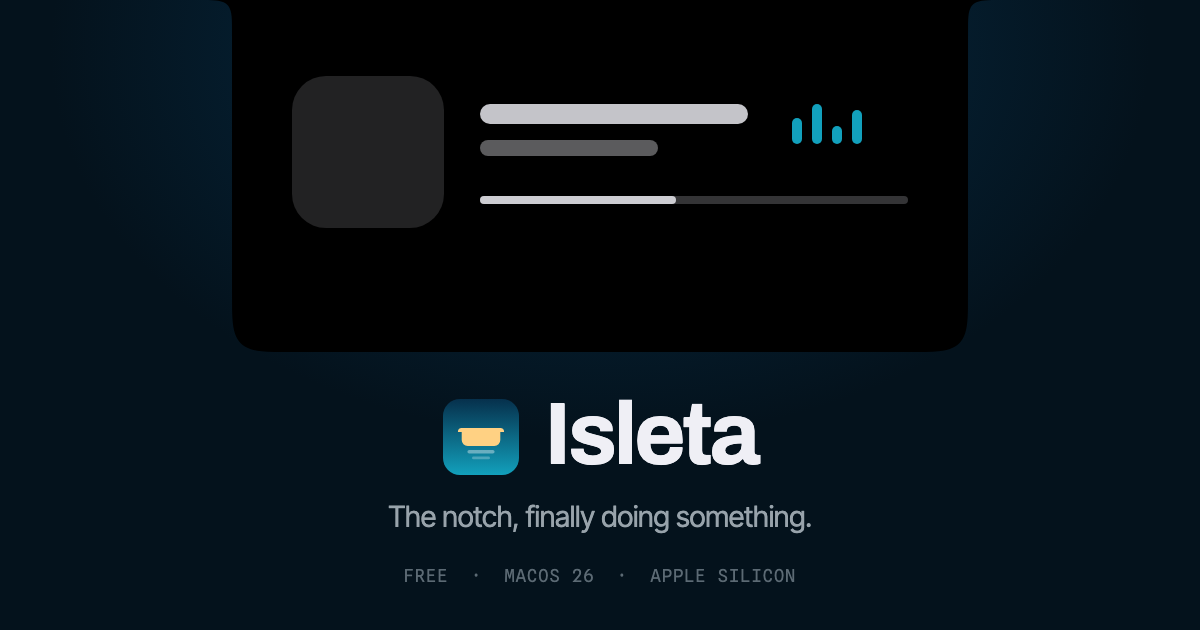
A macOS menu bar app that turns the MacBook notch into a live surface — a Dynamic Island for macOS, done properly. Everything in it is one of two things: pages you browse — Today, Music and Weather, turned with a two-finger swipe — and activities that arrive because something happened, then leave on their own. Today puts what is next in your calendar against what the sky is doing, with a button that joins the meeting. Music carries album artwork, an equalizer that freezes mid-stride on pause, and the queue your player is actually working through. Weather rains inside the island when it is raining outside, and the drops land on its bottom edge. Drop a file on the notch and it stays — or converts, or transcribes itself, entirely on your Mac with nothing uploaded. Move the pointer onto the MacBook notch and it peeks with a trackpad haptic — click and it expands. A Mac with no notch gets a floating Dynamic Island on the primary display, and all of it speaks English, German, French and Spanish. Free, and open source under the MIT License — the whole app is on GitHub to read, fork and build yourself.
or with Homebrew
brew install --cask idevtim/tap/isleta
More apps by iDEVTim
See all
ItsWorthMore.com
LiveTrade-in and buyback platform for used electronics. Real money, real volume.

ListerGenius
Coming SoonInventory, listing and order management for resellers — eBay, Amazon and Walmart in one place.

Feevio
FreeCalculator toolkit for online sellers — know your margin before you list.

Zenful Youth
Coming SoonSay what's on your mind and get a guided meditation written for exactly that.

Cage Break
FreeBrick-breaker animal rescue. Ten worlds, 40 animals to save, no ads.

Piece of Mind
FreeJigsaw puzzles cut from your own photos.
Have an app idea of your own?
I build web, iPhone and desktop apps like these, usually from napkin sketch to working prototype in under two days.
Book a free call